
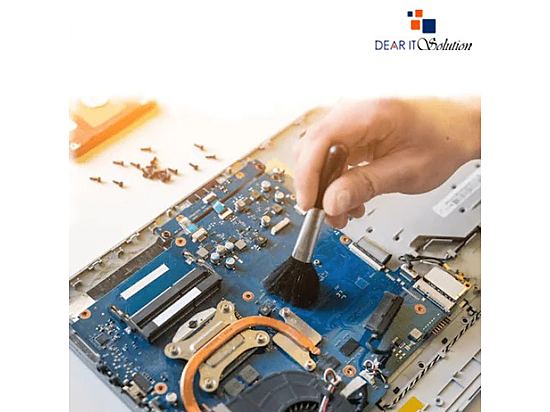
Laptop Cleaning Services at Dear IT Solution
If your laptop is overheating, running slow, or showing signs of dirt and dust buildup, it may be time for a professional cleaning. At Dear IT Solution, we specialize in providing thorough laptop cleaning services to ensure your device runs smoothly and lasts longer.
Common Laptop Cleaning Issues
Dust and Dirt Build-up
সময় অতিবাহিত হওয়ার সাথে সাথে ল্যাপটপের ফ্যান এবং ভেন্টগুলোর মধ্যে ধুলো এবং ময়লা জমতে পারে, যা এয়ারফ্লো বন্ধ করে দিয়ে অতিরিক্ত তাপ তৈরি করে এবং পারফরম্যান্সে প্রভাব ফেলে। Over time, dust and dirt can accumulate inside your laptop, particularly around the fans and vents. This can block airflow, leading to overheating and performance issues.Sticky or Dirty Keys
নিয়মিত ব্যবহারের ফলে কিবোর্ডে ময়লা জমে যেতে পারে, যা কীবোর্ডের কার্যকারিতায় প্রভাব ফেলে এবং ল্যাপটপকে ময়লা দেখায়। Regular use can cause grime to build up on the keyboard, affecting key functionality and making your laptop look dirty.Overheating
ধুলো জমে গেলে ল্যাপটপের ভেতরের তাপমাত্রা বাড়ে, যা হার্ডওয়্যারের ক্ষতি হতে পারে এবং সিস্টেম ক্র্যাশ হতে পারে। If dust accumulates inside the laptop, especially around the cooling system, it can cause the laptop to overheat, which might lead to hardware damage or system crashes.Screen Smudges and Fingerprints
নির্বাহিত ব্যবহারে স্ক্রীনে আঙুলের ছাপ এবং দাগ জমতে পারে, যা দৃশ্যমানতা কমিয়ে দেয় এবং ল্যাপটপ ব্যবহারে অস্বস্তি তৈরি করে। Constant use and handling can leave fingerprints and smudges on the screen, reducing visibility and making the laptop less pleasant to use.
How We Clean Your Laptop
External Cleaning
আমরা ল্যাপটপের স্ক্রীন, কিবোর্ড এবং বাইরের অংশ সুরক্ষিতভাবে পরিষ্কার করি যাতে কোনো ক্ষতি না হয়। We carefully clean the laptop's exterior, including the screen, keyboard, and outer casing, using professional tools to avoid damage.Internal Cleaning
আমরা ল্যাপটপের ফ্যান এবং ভেন্টগুলো গভীরভাবে পরিষ্কার করি, যাতে ধুলো এবং ময়লা দূর হয়ে যায় এবং তাপমাত্রা নিয়ন্ত্রণে থাকে। We perform deep cleaning of internal components like the cooling fan and air vents to remove dust and debris, improving airflow and reducing the risk of overheating.Comprehensive Inspection
পরিষ্কারের পর, আমরা ল্যাপটপটি পরীক্ষা করি যাতে নিশ্চিত করা যায় যে সব উপাদান ঠিকভাবে কাজ করছে এবং কোন ধুলো বা ময়লা ভিতরে নেই। After cleaning, we inspect the laptop to ensure that all components are functioning properly and that no dust or debris is left inside.
Price Starts from 500 Taka!
মূল্য শুরু ৫০০ টাকা থেকে!
For fast, affordable laptop cleaning services, visit Dear IT Solution today!
দ্রুত এবং সাশ্রয়ী ল্যাপটপ পরিষ্কারের সেবা পেতে আজই Dear IT Solution-এ আসুন!